E-Signatures for Interior Design Proposals and Contracts
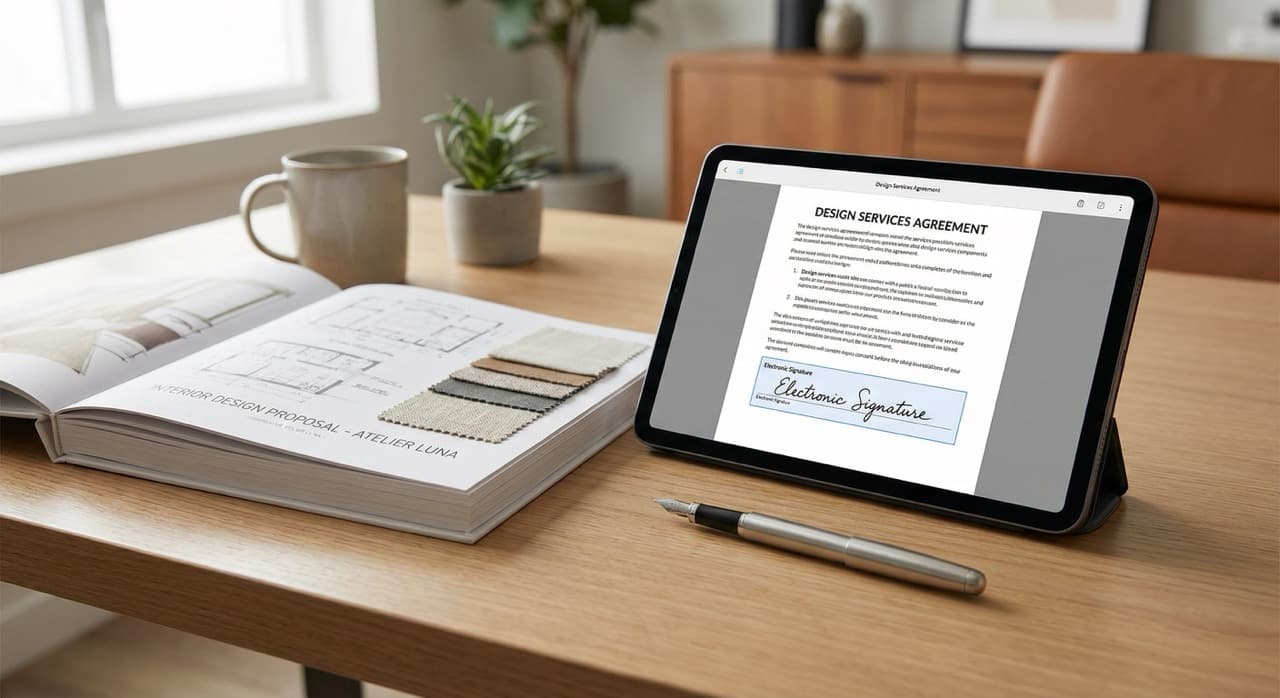
Why Interior Designers Are Adopting E-Signatures at Scale
Five years ago, asking a client to sign a proposal digitally was unusual. Today, it's the baseline expectation.
E-signatures fit naturally into the workflow of structured approval systems that modern design firms now rely on.
The core benefit: removing friction from decision points.
E-signatures are transforming interior design workflows for a simple reason: they remove friction from a decision point. When a client approves a design proposal or signs a contract, every day of delay is a day the project doesn't move forward.
With traditional signatures, approval meant:
- Printing the document
- Having the client sign physically
- Either mailing it back or arranging a time to meet in person
This process easily added 5 to 10 business days to a timeline.
E-signatures collapse that timeline to hours.
A client receives an email with a proposal. They click "review." They read through and sign digitally right there in their browser. The designer receives notification that it's signed. The project moves forward.
No printing, no scanning, no phone calls to confirm whether they received it in the mail.
The speed benefit is even more valuable with multiple stakeholders.
A residential project might involve both spouses. A commercial project might involve the owner, the facilities manager, and the decision-making committee.
With e-signatures, you can send one proposal to multiple people, each can sign independently on their own timeline, and you track who's signed and who hasn't in real time.
With physical signatures, coordinating multiple signers becomes a nightmare of phone calls and re-printing.
Beyond speed, e-signatures improve professionalism.
Clients now expect the ability to sign digitally. Asking a client to print and sign a document feels outdated.
When you offer e-signature capability, you're signaling that you run a modern, tech-forward practice. For high-end residential and commercial clients, this matters.
There's also a practical documentation benefit.
E-signatures create an immutable record. You know exactly when the client signed, which version they signed, and you have a timestamp proving legal agreement.
With physical signatures, documents get lost, versions get confused (did they sign version 1 or version 2?), and you're relying on a piece of paper that could be damaged or destroyed.
What Documents Benefit Most From E-Signatures
Interior designers use e-signatures on specific documents where legal clarity and quick approval matter most.
Design Proposals
This is the most common use case. This is the document where you present the scope of work, timeline, and pricing. The client needs to formally approve it to move forward.
Learn how to create interior design proposals that sell before asking for signatures.
An e-signature on a proposal creates a paper trail showing that the client understood and accepted your proposed design direction and pricing. If a client later claims you proposed something different, you have the signed proposal as evidence.
Speed matters here because every day waiting for approval is a day the project timeline compresses elsewhere.
Design Contracts
Design contracts or design agreements are even more important for e-signature. This is the legally binding document where you define:
- Scope of work
- Payment terms
- Cancellation policies
- Intellectual property rights
An e-signature on a design contract creates a clear legal record that both parties understood and agreed to the terms. If a dispute arises later, you have evidence of what was agreed.
The contract is the document where legal protection matters most, so e-signature ensures you have a clear, defensible record.
Change Orders
During a project, clients request additions or modifications. You create a change order documenting the scope change, the pricing impact, and the timeline impact.
An e-signature from the client on the change order protects you from scope creep and price disputes. When a client later says "I didn't know this would cost extra," you have their signed change order proving they did know and agreed to it.
E-signatures on change orders are particularly valuable because they move quickly. Instead of emailing a PDF and waiting days for a signature, the client can sign within hours, and you can immediately start work on the scope addition.
Invoices and Payment Authorizations
These sometimes benefit from e-signatures, particularly for large projects or high-value items.
Some designers use e-signature to have clients authorize specific purchases before placing the order. This creates a record that the client approved the vendor, the product, and the price before you committed to it.
Vendor Credentials and Purchasing Authorizations
These may require signatures if you're giving a vendor permission to charge a client's credit card or if you're documenting the client's authorization to purchase items in their name.
Revisions and Approval Documentation
When you send a client revised design options, boards, or renderings, having them e-sign off on which version they want to move forward with creates clarity and prevents misunderstandings.
The pattern here is clear: Any document where legal clarity, timing, or dispute prevention matters is a good candidate for e-signature. Documents where you're just sharing information (mood boards, inspiration images, vendor research) don't need e-signatures.
Streamline approvals and keep every project moving forward.
Clip products from any vendor site, organize boards, and create client-ready proposals — all in one place.
Try TradeHub FreeLegal Validity of E-Signatures in the United States
The legal foundation for e-signatures in the United States is strong. Interior designers don't need to worry about whether e-signatures are legally binding; they are, as long as certain conditions are met.
The ESIGN Act
The ESIGN Act (Electronic Signatures in Global and National Commerce Act) is the federal law enacted in 2000 that establishes e-signature validity for interstate and international commerce.
The ESIGN Act states that a signature may not be denied legal effect or enforceability solely because it is in electronic form. This means that an e-signature has the same legal force as a wet signature on a piece of paper.
The UETA
The UETA (Uniform Electronic Transaction Act) is a complementary state-level law that applies to electronic transactions and records.
Most U.S. states have adopted versions of the UETA, which provides similar protections for e-signatures at the state level. The UETA applies to electronic transactions in state commerce, while the ESIGN Act covers federal and interstate transactions.
Together, they create a comprehensive legal framework supporting e-signature validity.
Conditions for legal validity:
For an e-signature to be legally valid under both the ESIGN Act and UETA, certain conditions must be met:
1. Both parties must intend to sign.
The document must be presented as something that requires a signature, not something incidental. When you send a proposal to a client and ask them to sign it electronically, you're clearly signaling the intent to create a legally binding agreement.
2. Both parties must consent to do business electronically.
Before you can use e-signatures, the client must agree to receive and sign documents electronically.
Most e-signature platforms handle this with a simple consent disclosure that the client agrees to when they first receive a document requiring signature. Interior designers should include language in their engagement process indicating that they may use e-signatures for agreements and proposals.
3. The e-signature must be associated with the record.
The e-signature platform must create an audit trail showing which document was signed, when it was signed, and who signed it.
This is why proper e-signature tools are important. A simple email with a signature image doesn't create a strong legal record, whereas a platform like DocuSign, Adobe Sign, or similar tools create a documented, timestamped association between the signature and the document.
4. The document must be retained and made available.
You need to keep the signed document and be able to produce it if needed for a dispute. Good e-signature platforms automatically store signed documents and provide access to them.
Why e-signatures work well for interior design contracts:
Design agreements are commercial contracts. The ESIGN Act and UETA explicitly apply to commercial contracts, so your design contracts signed electronically have clear legal standing.
Some industries (consumer purchases in certain states, wills, trusts) have exceptions to e-signature validity, but interior design contracts don't fall into these excepted categories.
One important note: Interior design licensing varies by state. Some states don't have interior design licensing at all. For states that do license interior designers, make sure that your e-signature process complies with any state-specific licensing board requirements.
The practical takeaway: E-signatures are legally valid for proposals, contracts, and change orders in all 50 U.S. states. What matters is using a proper e-signature platform that creates an audit trail, consent to the electronic transaction, and clear intent to sign.
How E-Signatures Speed Up the Approval Process
The speed benefit of e-signatures compounds across a project timeline, and the impact on a busy design practice is measurable.
The traditional signature workflow:
- You complete a design proposal
- You print it (if you even have a printer)
- You might have to make a copy if multiple people need to sign
- You arrange to meet the client, or you mail the document
- If you mail it, 2 to 3 days pass waiting for it to arrive
- The client reads it, signs it, and mails it back (another 2 to 3 days)
- You receive it, scan it for your records
Total time: 5 to 7 business days minimum. If the client is traveling or busy, it could be 2 to 3 weeks.
With e-signatures, the timeline collapses:
- You finalize the proposal
- You send an email link that takes 30 seconds to create
- The client clicks the link, spends 5 minutes reviewing and signing
- You get a notification immediately
Total time: Same day in most cases. Even if the client doesn't sign immediately, the friction is so low that they often sign within 24 hours, especially if you follow up with a gentle reminder.
Scale this across a project.
A typical project might have a main design proposal, a contract, two change orders, and final sign-off on selections. That's five documents requiring signatures.
With physical signatures, 5 to 7 weeks might pass across all approvals. With e-signatures, you could compress the same approvals into 5 to 7 business days.
Real project benefits:
- Your timeline is more predictable
- You're not waiting for signature feedback; you're moving forward with ordered products and scheduled installations
- Your vendors have more reliable lead times because you're committing to orders sooner
- Your cash flow improves because invoicing can happen sooner after client sign-off
The speed benefit is especially dramatic with multiple signers.
A commercial project with three decision makers might take 3 to 4 weeks to get all physical signatures because you're coordinating schedules, potentially printing multiple copies, and mailing documents.
With e-signatures, you send the document to all three people, each signs independently on their own timeline, and the process is complete within days.
There's also a psychological component to speed.
When a client signs something, they've made a commitment. They've moved from "interested" to "decided."
Faster signature means faster transition to the action phase of the project. The longer you wait for a signature, the more time for the client to second-guess their choices or have a change in priorities.
Quick e-signatures lock in client commitment while enthusiasm is high.
E-Signature Tools: Standalone vs. Integrated Solutions
Interior designers have two general approaches to e-signatures: standalone e-signature platforms and integrated solutions built into design or proposal software.
Standalone E-Signature Platforms
Platforms like DocuSign, Adobe Sign, HelloSign, and SignNow are dedicated to the e-signature workflow. You create your document (proposal, contract, etc.) in Word or PDF, upload it to the e-signature platform, specify where signatures are needed, add signers' email addresses, and send.
The platform handles the signature request, the client signing, the audit trail, and document storage.
Advantages of standalone platforms:
- Flexibility (they work with any document type)
- Strong legal backing (these platforms have invested heavily in compliance and audit trails)
- Extensive features (templates, custom branding, signature fields, initials, date stamps, and more)
- Integrations with other software (most design and proposal tools integrate with major e-signature platforms)
Disadvantages of standalone platforms:
- An extra step in your workflow (you need to export your document and upload it separately)
- Potentially higher costs if you're using a dedicated platform plus your design software
- The learning curve if you're not already familiar with e-signature tools
Integrated Solutions
These are built into design or proposal software (like proposal tools, project management platforms, or some design-specific software). They include e-signature capability directly.
You create your proposal in the software, add signature fields, and send. The client signs without leaving the platform.
Advantages of integrated solutions:
- Streamlined workflow (no separate tool, fewer steps)
- Often lower cost (e-signatures are included rather than an add-on)
- Faster implementation (already built into your existing software)
- Better user experience (everything happens in one place)
Disadvantages of integrated solutions:
- Potentially less flexibility than a dedicated e-signature platform
- Fewer advanced features
- Less robust security or audit trail depending on which software you're using
Which should you choose?
For most interior designers, the choice comes down to whether you're already using proposal software.
If you're generating proposals in PowerPoint or Word and manually managing client communication, a standalone e-signature platform is worth the small additional step.
If you're using purpose-built proposal software or design management software that includes e-signatures, the integrated solution is usually the better choice because it reduces workflow steps.
One important consideration: Whatever platform you choose, verify that it creates a proper audit trail (timestamp, identity verification, document versioning) and stores documents securely. Basic e-signature (like signing a PDF in Adobe Reader) might be legally valid, but it doesn't create an audit trail, which weakens your defensibility if a dispute arises.
Streamline approvals and keep every project moving forward.
Clip products from any vendor site, organize boards, and create client-ready proposals — all in one place.
Try TradeHub FreeSecurity Considerations for E-Signatures
When using e-signatures on sensitive documents like design contracts or payment authorizations, security matters.
1. Authentication
The primary security concern is authentication: how do you verify that the person signing is actually the person you intended to sign?
With a physical signature, you're relying on your visual recognition or an ID check. With e-signatures, the platform needs to verify identity before allowing the signature to take effect.
Most major e-signature platforms use a combination of methods for authentication:
- At minimum, they send the signature request to a specific email address
- For higher-security transactions, platforms offer two-factor authentication (requiring a code sent to the person's phone)
- Knowledge-based verification (asking security questions)
- Digital ID verification
For most interior design proposals and contracts, basic email authentication is sufficient. However, if you're authorizing credit card transactions or working with high-value projects (six figures or more), stronger authentication might be worth the additional friction.
2. Document tampering
A strong e-signature platform creates a document hash (a unique digital fingerprint of the document) when it's created.
If anyone tries to alter the document after it's signed, the hash changes, and the signature becomes invalid. This prevents someone from secretly modifying a contract after the client has already signed.
3. Data storage and transmission
When you send a contract or proposal via e-signature, it's traveling over the internet and being stored on someone's servers.
Make sure that the platform you choose uses:
- Encryption for data in transit (HTTPS, TLS)
- Encryption for data at rest (on servers)
Most reputable e-signature platforms are SOC 2 compliant or similar, meaning they've been audited for security and data handling practices.
4. Role-based access
Once a document is signed, who can access it? You probably want to ensure that only you and your client can view the signed document, not anyone else in your organization or broader public.
Good e-signature platforms have granular permission controls allowing you to specify who can view, download, or share signed documents.
The practical security approach for interior designers:
Use a reputable e-signature platform (DocuSign, Adobe Sign, HelloSign, or similar). These platforms have invested in security because they're handling contracts for major companies. The security level will be far more robust than anything you'd build yourself.
Make sure any sensitive client information (contact details, credit card authorizations, etc.) is included only when necessary. Don't include Social Security numbers, bank account numbers, or similar highly sensitive information in the document itself.
Combining e-signatures with proper client communication and presentation tactics helps you build trust throughout the signing process.
Building E-Signatures Into Your Client Process
Successfully implementing e-signatures isn't just about the technology. It's about how you introduce it to clients and integrate it into your workflow.
Step 1: Transparency
Let clients know up front that you use e-signatures. Include this in your engagement agreement or initial communication.
Something simple like: "We use secure electronic signatures to expedite project approvals. All documents will be sent via [platform name], which you'll receive via email."
This sets expectations so there's no surprise when they receive a signature request.
Step 2: A smooth first-time experience
When a client receives their first e-signature request, make it simple and clear:
- Send a brief email explaining what document they're about to sign and why
- Provide clear instructions on how to sign (usually just clicking a link and signing on screen)
- Consider sending a quick video or screenshot showing the process if your clients are less tech-savvy
Step 3: Consistency
Once you've chosen your e-signature platform, use it for all signature requests.
This way, clients become familiar with the process and experience, and they know to expect signature requests in a particular format.
Step 4: Follow-up
If a client hasn't signed within 24 to 48 hours, send a friendly reminder.
E-signature platforms usually have automatic reminder features. Use them. But keep the tone casual; you're not chasing them, just making sure they didn't miss the email.
Step 5: Document organization
Once signed, keep the document in an easily accessible place for your records.
E-signature platforms usually store documents, but you should also keep copies in your project file or cloud storage for redundancy and easy access.
Step 6: Education for your team
Make sure every team member knows:
- Which documents require e-signatures
- How to send them
- How to track whether a client has signed
If you have a large team, create a simple guide document walking through the process.
From a workflow perspective: E-signatures should be part of your standard proposal and contract workflow. When a proposal is finalized and ready to send, the next step is uploading it to your e-signature platform and sending the signature request. This becomes automatic and requires minimal additional effort.
E-Signatures as a Competitive Advantage
In a competitive design market, the ability to move quickly signals professionalism and capability.
Client expectations have shifted.
Clients today expect e-signatures as a baseline. They're comparing you against other designers, many of whom offer e-signature capability.
Not offering it signals that you're behind the curve. Offering it clearly and prominently (in your engagement process, on your website, in your communication) signals that you run a modern, professional practice.
Speed becomes part of your brand.
When you can get client approval in 24 hours instead of a week, you can start vendor ordering sooner. This matters for lead times and project timelines.
Clients notice when projects move quickly and decisions are made rapidly. That perception of speed and efficiency becomes part of your brand.
Reduced administrative burden.
E-signatures also reduce the administrative burden on you and your team:
- No more printing, scanning, or managing physical documents
- No more chasing clients asking whether they received the document in the mail
- No more hunting for signed contracts in filing cabinets
- Everything is digital, organized, and timestamped
Better team coordination.
When proposals are signed electronically and stored in a central location, your entire team can easily see which clients have approved which projects.
You can generate reports on approval rates and turnaround times. You can identify bottlenecks (are certain clients slow to approve? Are certain document types slowing down your process?).
This data helps you optimize your workflow.
Frequently Asked Questions
Are e-signatures legally binding on interior design contracts?
Yes, e-signatures are legally valid and binding on interior design contracts in all 50 U.S. states under the ESIGN Act and the UETA (Uniform Electronic Transaction Act). The conditions for legal validity are that both parties intend to sign, both parties consent to electronic transactions, the signature is properly associated with the document, and the document is retained and can be produced if needed. Reputable e-signature platforms handle all of these conditions automatically.
What's the difference between the ESIGN Act and UETA?
The ESIGN Act is federal law applying to interstate and international commerce. The UETA is a state-level law that most states have adopted, applying to electronic transactions within states. Together, they create a comprehensive framework supporting e-signature validity. For most interior designers, both laws apply depending on whether your transaction is intrastate or interstate, but the bottom line is the same: e-signatures are valid.
Can I just use a simple electronic signature, like a signature image in a PDF?
Technically, yes, but it's not ideal. A signature image lacks an audit trail showing when the document was signed, who signed it, and whether it's been altered. For legal protection, using a dedicated e-signature platform that creates timestamps, audit trails, and document hashes is much stronger. If a dispute arises, you want evidence of exactly when and how the client signed.
What documents should interior designers have clients sign electronically?
Definitely design proposals, design contracts, and change orders. Consider e-signatures for any document where legal clarity, timing, or dispute prevention matters. Documents that are purely informational (mood boards, inspiration images, vendor research) don't need e-signatures.
How do I choose between a standalone e-signature platform and an integrated solution?
If you're already using proposal software, integrated e-signature is usually better because it reduces workflow steps. If you're generating proposals in Word or PowerPoint, a standalone platform like DocuSign or Adobe Sign is flexible and easy to use. Consider cost, ease of use, and how well it integrates with your existing tools.
How secure are e-signatures for sensitive information?
Reputable e-signature platforms use strong encryption for data in transit and at rest, implement authentication (email verification or two-factor authentication), and create audit trails that prevent document tampering. These security levels are typically stronger than a paper contract stored in a filing cabinet. Avoid including highly sensitive information (Social Security numbers, bank account numbers) in the contract itself.
How long do I need to keep signed e-signature documents?
Interior design contracts should be kept according to your standard document retention policy, typically 7 years for tax and business records. E-signature platforms usually maintain documents indefinitely, but you should also keep copies in your own cloud storage or filing system for redundancy and easy access.
Related Reading
- How to Create an Interior Design Proposal That Sells
- Why Firms Are Moving Away from Email-Based Approvals
- Client Presentation Tips for Interior Designers
Ready to speed up your proposal approvals and create legally defensible records of client agreements? TradeHub includes built-in e-signature capability on design proposals, so you can send, track, and manage client approvals without leaving your design workspace.
Streamline approvals and keep every project moving forward.
Join thousands of interior designers who use TradeHub to source products, manage projects, and present to clients with confidence.
Start Your Free TrialFree during beta. No credit card needed.