Structured Approval Workflows for Interior Design
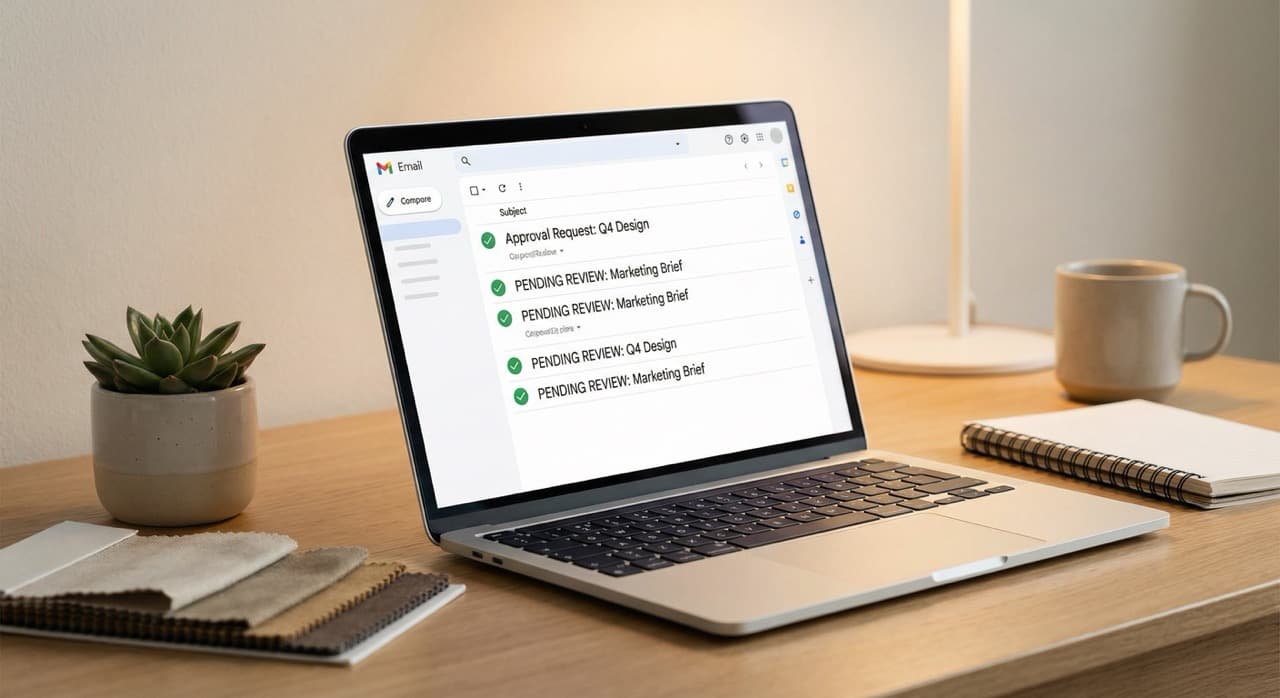
How Email Became the Design Approval Tool
Email approval workflows emerged almost by accident.
Email was the default communication tool, so approvals naturally followed that pattern. In the early days of design software, there wasn't a good alternative. You completed a proposal in Word or a PDF. You emailed it to your client. They wrote back with feedback. You updated it. You sent it again. This looping continued until everyone signed off.
This method worked fine when projects were simple and clients were responsive.
But as design firms grew and projects became more complex, cracks appeared in the system.
A residential interior design project might specify 200 to 300 individual items.
Compare this to how e-signatures streamline approvals, which creates legal closure on top of basic approval.
The items span many categories:
- Floor finishes
- Wall colors
- Fixtures
- Furnishings
- Fabrics
- Lighting
- Hardware
- Accessories
Each category often involved client choice and decision-making.
Email threads about these items ran in parallel.
Your client approves the sofa in one email but hasn't yet decided on the dining table. You're keeping track of what's approved and what's still pending across multiple threads. Your junior designer is trying to understand the current state by reading email chains. Important specifications are buried in message bodies instead of being front and center.
The logic was simple: email is how we communicate, so email is how we manage approvals.
But email is a communication channel, not a project management tool. Using it as an approval system creates hidden costs that most design firms don't actively measure but definitely feel.
The Problems Built Into Email-Based Approvals
The shift away from email approvals isn't about technology snobbery. It's about real operational problems that compound as a firm grows.
Approval status becomes unclear.
In an email thread about fabrics, your client writes, "I love the blue velvet but can we see the green one instead?"
You interpret this as rejection of the blue and a request to see the green. But what if they meant they want to see both options? What if they want to consider all three options? The blue, the green, and a third one they'll ask about next week?
In a centralized approval system, you'd have explicit status fields:
- Item A: approved
- Item B: pending client decision
- Item C: rejected
In email, you're constantly making interpretation judgments.
Threads become impossible to follow.
A typical design project has multiple email conversations happening in parallel:
- Project status emails
- Item-specific approvals
- Shipping and lead-time questions
- Change orders
- Specification clarifications
You're managing 5 to 10 different threads at any given time. Your client might approve something in one thread, but you're looking at a different thread where you ask if that same item is in stock.
You accidentally specify an old version because you didn't see the approval in a different thread. A team member unfamiliar with the project has to read 30 emails to understand what's approved and what isn't.
No real audit trail exists.
If there's ever a dispute about what was or wasn't approved, your evidence is an email thread. "I definitely approved that headboard in my email of March 12th."
But did you? Or did the designer misinterpret your response? The client said "looks good" but were they approving it or just being polite?
Email is ambiguous. Someone will have to hunt through old messages to reconstruct what actually happened. If that email has been deleted or moved to a folder, you may not be able to find it at all.
A structured approval system creates timestamped records that can't be misinterpreted later.
Revisions become chaotic.
When a client says they want to change something, you're not simply updating one item in a system. You're creating a new version of the proposal, often re-sending the entire document instead of just the changed items.
The client is now looking at multiple versions of the proposal, some with outdated items. They accidentally reference a version you sent three weeks ago instead of the current one. They approve item updates in a new email without realizing you've already changed something else about that item.
Version control becomes a nightmare.
Communication speed slows to email-response-rate.
Clients don't live in their email anymore. They check it once or twice a day. Even if they intend to respond to your proposal immediately, they might not get to it for several hours.
If there's any ambiguity in what you sent, a back-and-forth exchange takes 24 to 48 hours. Approvals that should take 15 minutes take days.
A typical design project could accelerate by days or weeks just by removing the email response-time lag from the approval process.
No integration with actual project management.
Your sourcing happens in one place (maybe a spreadsheet or a board system). Your approvals happen in email. Your project timeline lives in another tool.
Your team has to manually move approved items from email into the project system. If an approval changes, you have to manually update the project. You're maintaining information in multiple places, with multiple versions of the truth, requiring manual synchronization.
Client experience is fragmented.
When clients are managing approvals across multiple email threads, they feel disorganized. They don't have a single place to see the full project. They don't know which items have been approved and which need their attention.
They have to search through email to find that image of the rug they approved. The process feels old-fashioned compared to how they manage other parts of their lives. They're used to click-to-approve experiences in other contexts.
These problems are not unique to any one firm.
They're systemic to email-based approval workflows. The firms that feel them most acutely are usually growing firms that are taking on more projects. The more concurrent projects you run, the more email threads you're managing, and the more confusing the system becomes.
Replace endless email threads with organized approvals.
Clip products from any vendor site, organize boards, and create client-ready proposals — all in one place.
Try TradeHub FreeWhat Structured Approval Workflows Actually Look Like
A modern approval workflow starts with a different architecture.
Instead of sending a document and asking for feedback, you present a single source of truth.
Here's the project. Here are all the items that need client decisions. Here's the timeline and here's what you're waiting on from them.
Within that interface, approval happens at the item level, not the document level.
The client isn't seeing "do you approve this 10-page proposal?" They're seeing each item:
- The sofa, with an image, the price, the specifications, the lead time, and a button to approve or request changes
- The dining table is below it, with the same structure
- The area rug is below that
When a client clicks "approve" on the sofa, that action is recorded.
That item is marked as approved. You see immediately that the sofa is approved. Your team sees it. The item flows into the project management system automatically.
If the client changes their mind later, they can click "request changes" and your system shows you that the previously approved item now needs revision.
The approval interface should be accessible on any device.
The client can review items on their phone during lunch, their desktop at the office, or their tablet on the weekend. They're not chained to email. They can approve items at their own pace without waiting for formal response cycles.
Inline item approval also creates a better experience for clarifications.
If your client approves 99 items but questions one specific item, that's immediately visible. You're not reading an email and trying to parse which items were approved and which one they're asking about. You see one item flagged for revision and you know exactly what to address.
E-Signatures and Legal Closure
Email approval threads also lack the ability to close out decisions legally.
In a complex design project involving substantial investment, you need more than tacit approval.
You need the client to sign off on the selection, specification, and price. This creates a legal record. If something goes wrong later, you have evidence that the client approved this selection.
Email doesn't provide this.
A client writing "I approve" in an email doesn't have the same legal weight as an electronic signature on a formal document. If there's ever a dispute, that email is ambiguous. Did they approve, or were they just saying they read it?
Structured approval workflows integrate e-signature capability.
After items are approved, the client signs the proposal. That signature is timestamped, legally binding, and creates a clear record of what was approved when. Both you and the client have a document that is signed and that proves the approval happened.
This is especially important for trade work or high-value projects.
When the selections represent tens of thousands of dollars in investment, you're not just tracking approvals. You're creating the legal foundation for the project.
From Scattered Decisions to Shared Portals
The most sophisticated design firms are moving toward dedicated client portals.
This approach integrates approval workflows with project communication, similar to how firms approach client onboarding and relationship management.
A client portal is a single website or interface where all communication about the project lives.
- The proposal is there
- The boards with product imagery are there
- The approval interface is there
- Specification documents are attached
- Schedules and timelines are visible
- Project updates are posted as the work progresses
Instead of emailing the client, you update the portal.
Instead of the client emailing you back, they interact with the portal. All of this creates a persistent record of the project. There's no email thread to get lost. The client logs in and sees the current state of everything.
Clients actually prefer this when they experience it.
They feel like they have full visibility. They can access all project information from one place. They can see what's been approved, what's pending their decision, and what's been completed. They don't have to dig through email to find that specification sheet. It's in the portal.
For the design firm, a portal system creates operational clarity.
Every team member can see the same information. A new person joining the project can understand the current state without reading 50 emails. You can generate reports on approval status, lead times, and project timeline from the portal data because it's structured, not scattered across email threads.
The Business Case for Switching from Email
Some design firms delay moving away from email because the system "works" and switching feels like friction.
Here's the economic reality.
A designer spends an average of 5 to 10 minutes per project per day managing email approvals. This includes:
- Writing clarification emails
- Hunting for previous approvals in thread history
- Managing multiple versions of documents
- Following up on client decisions
For a firm with three designers managing six to eight projects each at any given time, that's 15 to 24 projects under management.
Multiply that by the 5 to 10 minutes per project per day, and you're looking at 1.5 to 4 hours of designer time per day spent on approval administration instead of design.
That's 7.5 to 20 hours per week. For a single designer, it's often the difference between capacity for one more project or not.
Switch to a structured approval system and that administrative time drops dramatically.
Items are approved with a click. Status is visible instantly. No clarification emails needed because the interface is clear about what you're approving. No version confusion because there's one source of truth.
The same 1.5 to 4 hours of design time is recovered. For a firm, that's the equivalent of one more project per quarter. Or one more designer's capacity without hiring.
The productivity gains compound when you consider revision cycles.
In email-based workflows, revisions are chaotic. In structured workflows, revision is streamlined. The client requests a change to one item. You propose an alternative. They approve it. It takes minutes instead of days.
Lead time improvements are significant too.
When approvals happen faster, you can place orders sooner. For products with long lead times, that can shift your project completion date by weeks. You're not waiting for email responses anymore. You're getting decisions the same day.
From a client relationship perspective, a structured approval system also signals professionalism.
Clients see that you're using purpose-built tools instead of email for project management. It builds confidence that they're working with a firm that's organized and systematic.
Replace endless email threads with organized approvals.
Clip products from any vendor site, organize boards, and create client-ready proposals — all in one place.
Try TradeHub FreeCommon Hesitations About Moving Away From Email
Some firms worry about the transition from email to structured workflows. Here are the actual concerns and why they usually evaporate once you've moved.
"My clients won't learn a new tool."
They will, and faster than you think. The interface should be intuitive. If someone can use an email or a web browser, they can use an approval portal.
Most clients do this without explicit training. They click the link, they see the items, they approve or request changes. The interface speaks for itself.
"Won't clients still want to email me about changes?"
Some will initially, out of habit. But once they experience the speed and clarity of the portal, most prefer it.
You do need to be consistent about directing approvals back to the system instead of handling them via email, but that's a minor adjustment.
"This seems like overkill for simple projects."
Even for simple projects, the structured system is faster than email. A small residential refresh with 30 to 40 items takes minutes to approve in a structured system. It takes days via email.
The system doesn't add complexity. It removes it.
"What if I have clients who really prefer email?"
You're probably better off encouraging them to use the portal. But if a specific client truly insists on email, you can use the portal internally and export approvals to a document format they can email back. You're not forced to abandon the system entirely.
"Will my team resist the change?"
Some initial resistance is normal. But most teams find that switching away from email-based approvals actually reduces their daily workload. Less email to manage. Less back-and-forth. Less version confusion.
Once they experience the system, they rarely want to go back.
Making the Transition
If you're thinking about moving away from email-based approvals, start with one project.
Choose a project with a client who's responsive and reasonably tech-savvy.
Use the structured approval system exclusively for that project. Don't let email approvals happen in parallel. That defeats the purpose and makes the comparison confusing.
After that project completes, reflect on the experience:
- How much faster did approval cycles move?
- Did clients engage with the system naturally or did they need guidance?
- What worked well?
- What felt awkward?
Use those observations to refine your process before rolling it out to the next project.
After three or four projects on the new system, it becomes your standard.
You'll have refined it to match your style and your clients will be accustomed to it. New clients will actually expect to use the system instead of email.
The transition takes about a month to feel natural. After that, email approval workflows feel obsolete.
The Evolution Continues
Structured approval workflows are currently the state of the art. But they're evolving rapidly.
You'll see more AI-assisted decision-making integrated into approval systems.
If a client has previously rejected certain styles, the system might highlight items that match the styles they've approved before. If they always modify color specifications, the system might proactively show color swatches when they're viewing fabric items.
You'll see better integration between approval workflows and sourcing.
When a client approves an item, the system automatically pulls sourcing information and creates a purchase order. No manual entry. The approved item becomes the ordered item.
You'll see more sophisticated analytics.
Designers and firm owners will be able to see data on:
- Average approval times
- Revision rates per client
- Categories where clients frequently request changes
- Other patterns that inform how you source and propose
The firms that adopt structured approval workflows now are building the habits and systems that will translate into these future improvements.
They're also discovering, right now, the efficiency and professionalism that comes from treating approvals as a managed process instead of an email afterthought.
Frequently Asked Questions
If clients approve items individually, how do they see the overall project vision?
The system should present both. Clients see individual items for specific approval, but they also see the project mood boards, design direction, and overall aesthetic. The individual approval interface sits within the context of the overall design. This is different from email, where you might be sending a single product listing without design context.
What happens if a client approves something and then changes their mind later?
The portal should allow them to request changes on a previously approved item. When that happens, the approval reverts to pending. You see the change request and you can propose an alternative. Once they re-approve, it's locked in again. This creates flexibility but maintains an audit trail.
How do you handle approvals for clients who want to see multiple options before deciding?
Present all options at the item level. Show the sofa in three colors. Let them approve one and request changes on the others. The system makes it clear which option they chose. This is actually faster than email where you might be sending multiple options in different messages.
Can you integrate e-signatures from the portal into your contracts?
Yes. The client's signature on the proposal approval can be exported and attached to your service agreement or design contract. It becomes evidence that they approved the specific selections and prices.
What if a client makes decisions at different times during the project?
The portal is designed for this. Items can be presented for approval in batches or all at once. If you're presenting items for one room at a time, you can release those items for approval on your timeline. Clients can approve the master bedroom items this week and the living room items next week.
How do you prevent clients from accidentally approving the wrong item?
Provide clarity at every step. Show large product images, clear descriptions, prices, and specifications. Require a confirmation action. "Click to approve" shouldn't be a single tap. It should be intentional. Most systems use something like "I approve this item" with a clear button rather than a simple tap.
Related Reading
- How to Create an Interior Design Proposal That Sells
- E-Signatures for Interior Design Proposals and Contracts
- Client Presentation Tips for Interior Designers
The best design firms have already abandoned email-based approvals for structured workflows. If you're ready to accelerate your approval process and reduce revision cycles, modern approval management is the most immediate leverage point in your business. Learn how TradeHub's inline item approval and e-signature features streamline client decision-making and keep projects on schedule. Visit TradeHub today.
Replace endless email threads with organized approvals.
Join thousands of interior designers who use TradeHub to source products, manage projects, and present to clients with confidence.
Start Your Free TrialFree during beta. No credit card needed.